How To View Conversation Transcripts In Copilot Studio
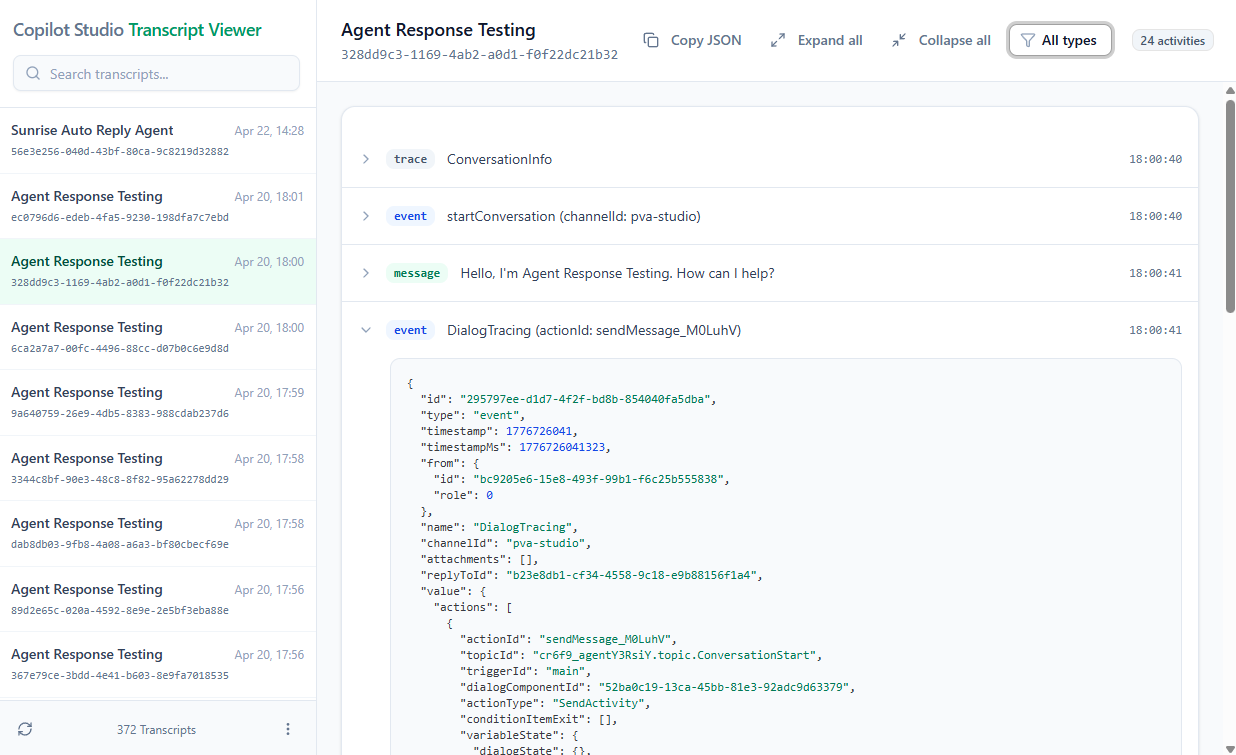
Copilot Studio Transcript Viewer is a Power Apps code app that enables you to explore the full conversation transcripts for any agent and see hidden details to assist with troubleshooting.
Transcripts can be accessed in two ways:
- Paste a transcript JSON from another environment directly into the app.
- Search for a transcript in the current environment where the app is installed.
Quickstart
Search For A Transcript From The Current Environment
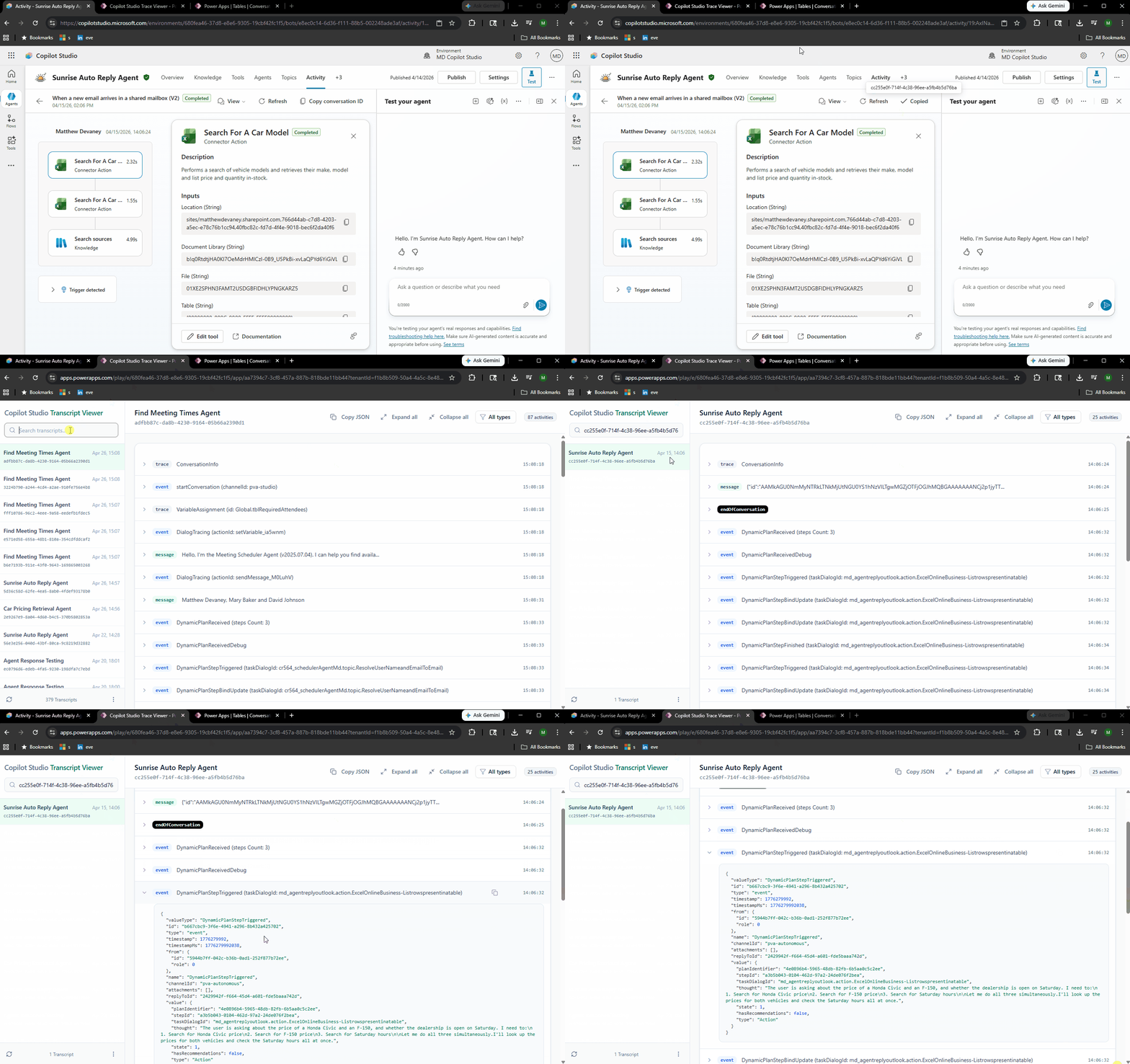
- Search for the transcript using the Agent Name or Conversation ID from the Activity tab in Copilot Studio
- Select the transcript
- Expand activities found in the transcript to see their full details
Copy And Paste Transcript JSON From Another Environment
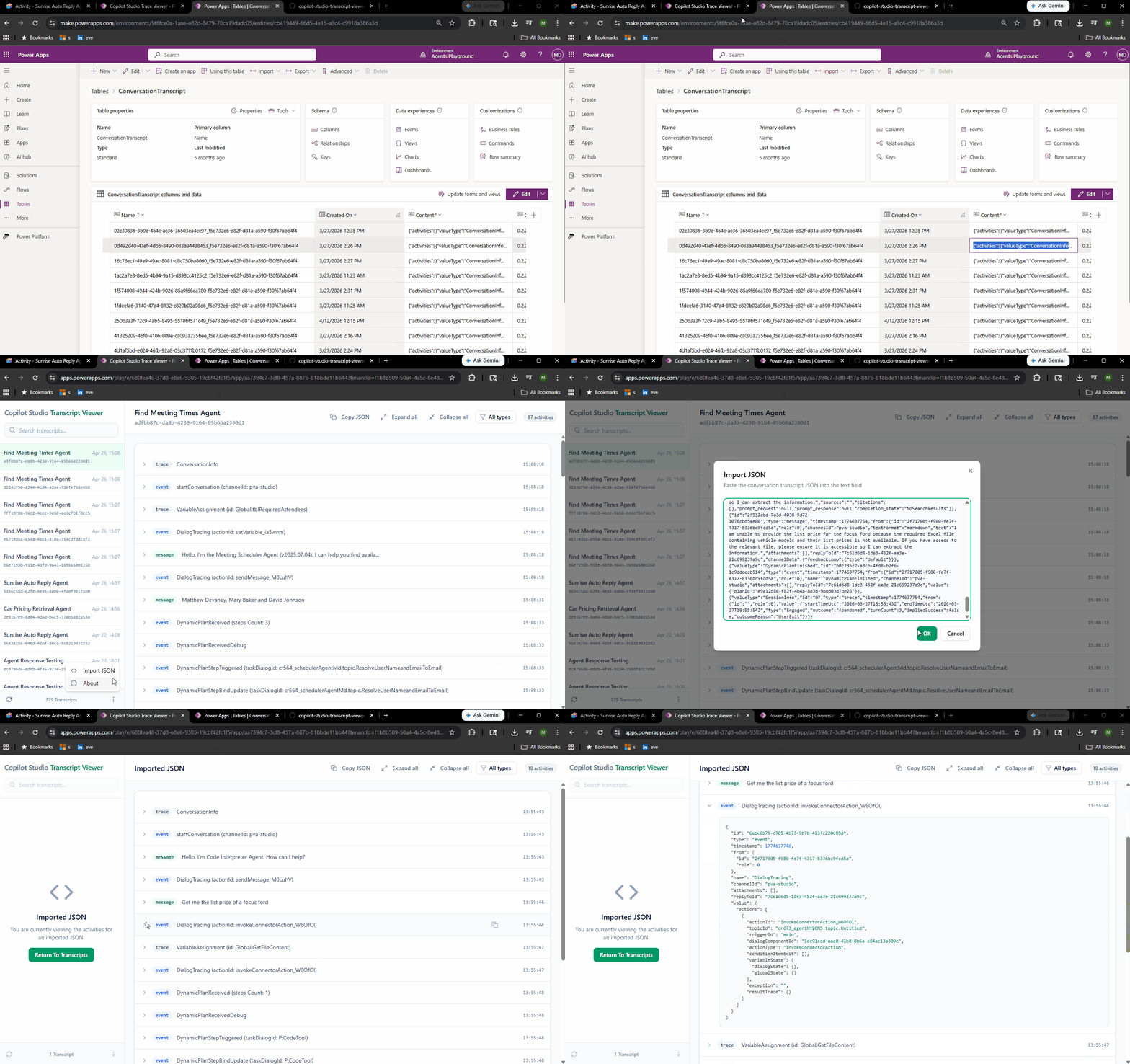
- Open the three dots menu found in the sidebar footer
- Select Import JSON
- Copy the JSON value found in the content column of the conversationtranscripts table
- Paste the content JSON into the the multi-line text input and press OK
- Expand activities found in the transcript to see their full details
Prerequisites
The following items are required to use the Transcript Viewer app:
- Power Apps Premium license
- Security role with organization-level read-access to these tables:
- Agent (bot)
- Conversation Transcript (conversationtranscript)
Installation
- Download the managed solution named CopilotStudioTraceViewer_1_0_0_11_managed.zip from this repository.
- Open the Power Platform environment you wish to install the solution into in Power Apps.
- Go to the Solutions menu and select Import.
- Select the managed solution and import it into the environment.
- Wait for the solution to be installed.
- Share the Power Apps code app named Copilot Studio Transcript viewer with users and ensure they have a Power Apps Premium license.
- Open the application.
Video: How To View Conversation Transcripts In Copilot Studio
Watch this video for a full demonstration of the app described in the article.
Did You Enjoy This Article? 😺
Subscribe to get new Copilot Studio articles sent to your inbox each week for FREE
Questions?
If you have any questions or feedback about How To View Conversation Transcripts In Copilot Studio please leave a message in the comments section below. You can post using your email address and are not required to create an account to join the discussion.