Save Docusign Document To SharePoint With Power Automate

When all Docusign document signatures have been collected Power Automate can save the signed PDF to a SharePoint document library. The PDF also includes a certificate of completion with a full audit trail. By doing this you can automate the entire Docusign process from end to end.
Introduction: The Save Docusign Document To SharePoint Automation
A service company uses Docusign to collect eSignatures from their clients. Power Automate automatically saves the signed PDF document and certificate of completion to SharePoint.

The signed PDF shows the client & service company signatures and signature dates.

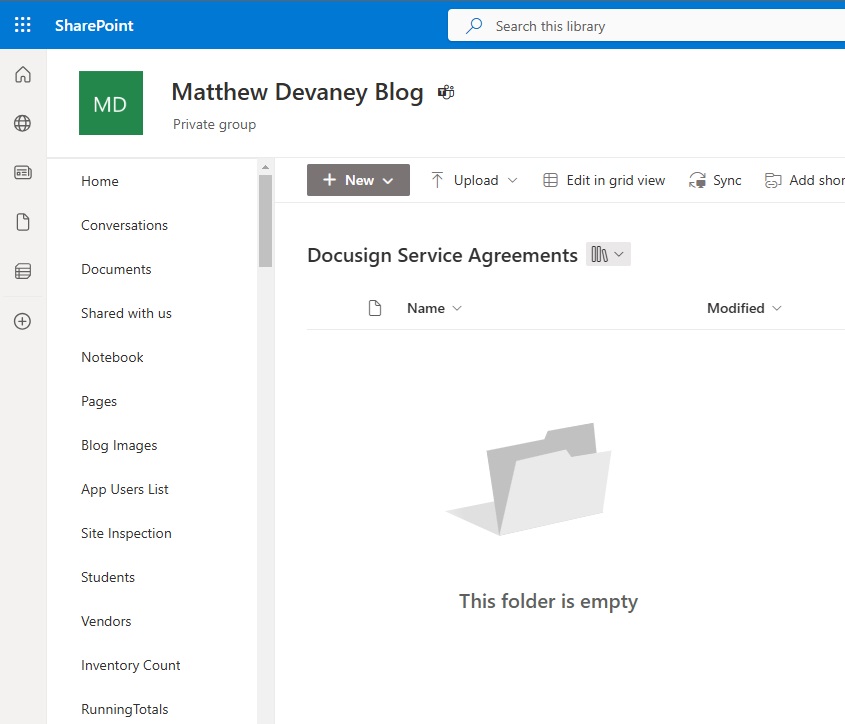
Setup A SharePoint Document Library
After the Docusign agreement is signed by both parties it is saved to a SharePoint document library. Create a new document library named Docusign Service Agreements to the hold PDFs.
Create A Power Automate Flow To Save Docusign To SharePoint
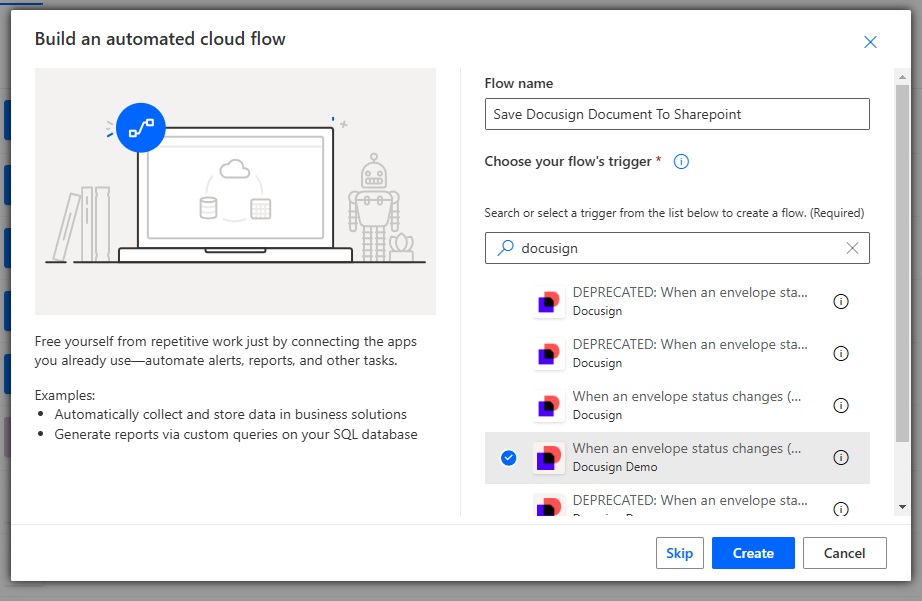
Go to Power Automate and create a new flow with an automated trigger named Save Docusign Document To SharePoint. Select the Docusign – When An Envelope Status Changes (Connect) (V3) trigger.
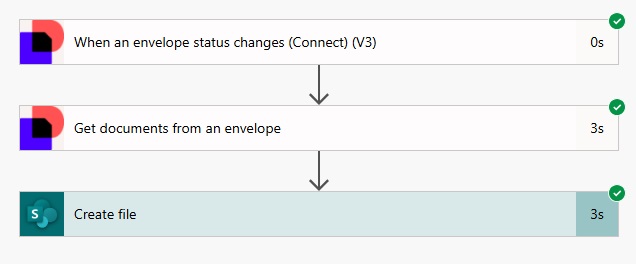
Select an account for the flow trigger and choose the Envelope event envelope-completed. Write any value for the connect name. In this example we will use Service-Agreement.
Add the Docusign – Get Documents From An Envelope action to the flow. Use the Envelope Id from the trigger and choose the Output format Combined with COC: Get all documents as single PDF.
Then insert a SharePoint – Create file action. Select the SharePoint site and library for the Docusign Service Agreements document library we created. Supply a file name and include the file content from the Get document from an envelope action.

Run The Power Automate Flow To Save Docusign To SharePoint
Turn the flow on and complete a Docusign document to see it triggered.
The signed PDF Docusign document is now saved to SharePoint.
Review The Saved Docusign Document In SharePoint
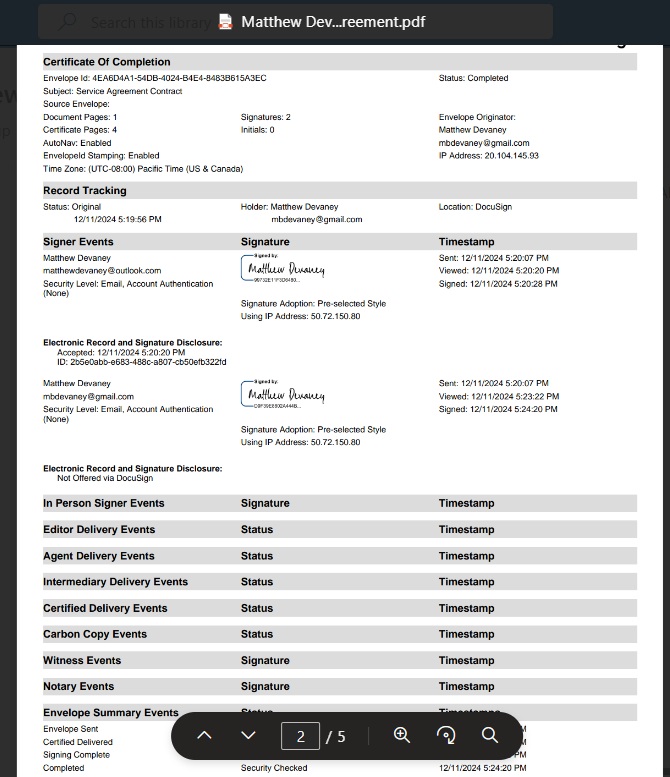
The final Docusign document includes signatures and signature dates.

It also includes a certificate of completion which acts as a full audit trail.
Did You Enjoy This Article? 😺
Subscribe to get new Copilot Studio articles sent to your inbox each week for FREE
Questions?
If you have any questions or feedback about Save Docusign Document To SharePoint With Power Automate please leave a message in the comments section below. You can post using your email address and are not required to create an account to join the discussion.






Interesting, thank you for the tip. I believe we can achieve a similar result by configuring SharePoint eSignatures to integrate with DocuSign (at no additional cost although an azure subscription and billing must be configured). Then the signed PDF document is automatically saved back to the same folder as the original PDF document to sign. Integration is seamless but this will work only for documents already hosted in a SharePoint doclib.